
Description
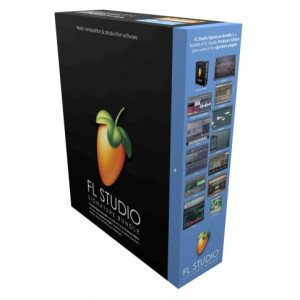
The product is sold in a boxed version (BOX) FL Studio 20, celebrating the 20 years of innovative developments and Lifetime Free Updates! FL Studio is the complete software music production environment, everything you need in one package to compose, arrange, record, edit, mix and master professional quality music. The fastest way from your brain to your speakers Key New Features Mac version – FL Studio is now available as a 64 Bit native macOS application. Including support for Mac VST and AU plugins. Projects made on Mac and Windows are interchangeable. Project interoperability extends to 3rd party plugins installed on both platforms. Existing (Lifetime Free Updates) and new customers can unlock FL Studio for Mac and Windows at no extra cost. One license to rule them all!
Time Signatures – FL Studio now supports Time Signatures, including unlimited Time Signature changes, independently, in both the Playlist and Patterns (Piano rolls). FL Studio’s unique pattern system enables, simultaneous, multiple Time Signatures at any point in the Playlist.
In-situ rendering (‘freezing’) – Bounce selected Audio and Pattern Clips to audio. Options include; Consolidate Playlist Clip selections, Consolidate Playlist tracks, Render Clips to Audio, Render Clips to audio and replace source Pattern Clips. Use these features to compile audio-takes into a single Audio Clip, reduce CPU load by converting real-time synthesis and effects processing to audio or convert MIDI data to audio for further processing and resynthesis.
Playlist Arrangements – The Playlist now supports multiple 'Arrangements' (Playlists). Each Arrangement is the complete layout of Audio, Automation and Pattern Clips. Users can now work with multiple versions of their project saving ideas, sound design and ‘arrangements’.
Plugin Delay Compensation (PDC) – PDC and Automatic PDC have been rebuilt, from the ground up, to support today’s complex workflows. Manual and Auto-PDC can now co-exist. Updates include: Mixer send compensation, Wet/Dry mixer FX compensation, Audio input compensation, Metronome compensation, Plugin Wrapper custom values remembered per-plugin and improved PDC controls in the Mixer. FL Studio 12 to 20? - To celebrate the 20th Anniversary of FL Studio we’re moving to a year-based numbering system. This is why the jump from FL Studio 12.5 to FL Studio 20.0.
Classic Features Refined FL Studio 20, celebrating the return of classic features including the Graph Editor, Precomputed FX, plus updates to the Channel Sampler.
Graph Editor - Returns, better than ever, with an improved note. Perfect for multi-touch control. The larger the touch display, the bigger users can make the Graph Editor. ‘Legacy’ Precomputed FX - Are back, including; Boost (with or without clipping), EQ, Ring Modulation, Low Pass filter, Reverb, Stereo Delay and Pogo (Pitch bend). FL Studio 20 welcomes back tools that crafted the sound of the 2000’s.
Channel Sampler - Includes two new Sample Start options. Start Offset – Moves the sample start point and is automatable. Sample Start – trims the sample data to create a new start point, useful for functions that process the entire sample window.
New & Updated Plugins VFX Level Scaler (New) - Scale Note Properties as received from the Piano roll. The graph shows Input-output mapping for Note - Velocity, Release, Pitch (fine), Pan, Mod X and Mod Y values.
DirectWave (Update) - Zone's loop types can now be set for all selected Zones at once. New 'Copy to selected zones' option for some Zone parameters.
Edison (Update) - 24 Bit file export option.
Fruity Convolver (Update) - Added PDC control to support new Linear Phase EQ presets, 'Linear phase EQ (Long compensated) and (Short compensated)'.
Fruity Reeverb (Update) - Now a 64 Bit FL plugin.
Fruity Reeverb 2 - Modulated reverb using Modulation (amount) and Speed options to break up 'ringing' or 'metallic' sounds.
Patcher (Update) - Reduced memory usage.
ZGameEditor Visualizer (Update) - New project 'Wizard' presets. Many new peak-based effects. Layers can be collapsed. Copy/paste layers to and from clipboard. Increased responsiveness to 'Linear' peak effect.
Improved Audio Recording As we head toward dedicated audio tracks, in a future point-release of FL Studio 20, we are enabling features to support improved recording workflow, including: Realtime display – Live display of Audio as it’s captured in the Playlist and Note data in the Piano roll.
Punch in/out – Right-click Time Markers and set them to automate the Master record switch. You can then work ‘hands-free’ with your instrument and be sure the take is precisely located and recorded.
Grouped takes – When loop-recording, multiple takes are grouped and auto-name after the Mixer track used.
Consolidate takes – When ‘comping’ your audio takes, use the new Playlist menu ‘Consolidate playlist selection’ to merge selections i...